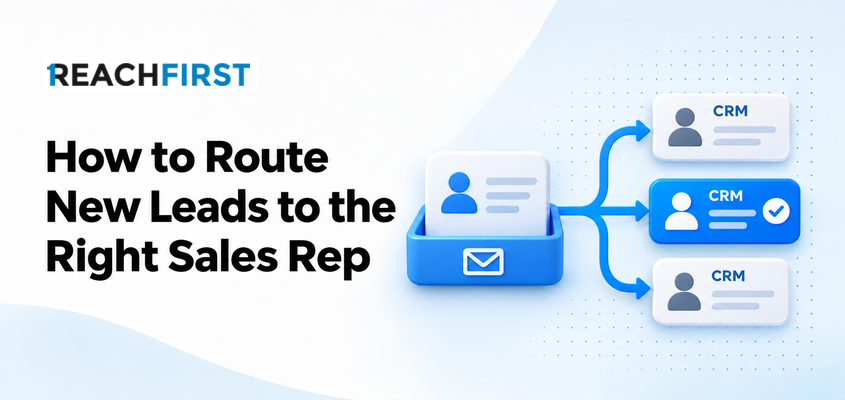
Getting a new lead is only useful when the right person follows up. A customer requesting an urgent service should not have to wait while their enquiry moves between departments. Yet many businesses still assign leads manually, leaving sales representatives to sort through emails and decide who should respond. At Reach First, we help businesses improve these workflows through AI automation services that connect lead information, customer relationship management (CRM) systems, and sales processes.
With automated lead routing, businesses can assign enquiries based on location, service requirements, representative availability, or existing customer relationships. This guide explains how to build a practical lead assignment process, when AI can help, and how to prevent valuable enquiries from getting overlooked.
What Is Lead Routing and Why Does It Matter?

Lead routing is the process of directing a new sales enquiry to the person or team best equipped to handle it. Instead of placing every enquiry in a shared inbox, businesses use predefined rules to assign responsibility.
For example, a commercial construction enquiry might go to an account manager experienced in industrial projects. A residential heating repair request may go to the sales representative responsible for that service area.
Without a clear routing system, several problems can develop:
- New enquiries remain unassigned.
- Multiple representatives contact the same prospect.
- Customers receive responses from the wrong department.
- Sales teams spend time transferring leads.
- Managers struggle to identify missed follow-ups.
- Qualified opportunities receive delayed attention.
Automated routing creates a more consistent process. It helps sales teams know who owns each enquiry and what should happen next.
How Automated Lead Routing Works

Automated lead routing uses information from a form, CRM record, booking system, or another connected source to determine who should receive an enquiry.
A typical workflow begins when a potential customer submits their information. The system checks the relevant details, applies the assignment rules, and updates the CRM with the designated sales representative.
How AI Automation Supports Lead Assignment

Traditional automation follows fixed rules. For example, all enquiries from Edmonton might go to one sales team, while those from Calgary go to another.
AI automation can support more complex decisions by interpreting information that does not fit neatly into predefined fields.
Suppose a customer writes:
“Our warehouse heating system keeps shutting down, and we need someone to assess it before Monday.”
An AI-assisted system could identify the requested service, commercial property type, and apparent urgency. It could then suggest the appropriate category for the CRM.
However, AI does not need to control every assignment. We recommend using straightforward rules for predictable decisions and introducing AI where interpreting enquiry details provides a clear benefit.
The purpose is to improve accuracy without making the sales process difficult to manage.
How to Route New Leads to the Right Sales Rep Step by Step

An effective lead distribution system starts with understanding how the sales team operates. Before configuring automation software, businesses should identify their lead sources, assignment responsibilities, and response expectations.
Step 1: Identify Every Source of New Sales Leads
Leads can arrive through several channels, including:
- Website contact and quote request forms
- Google Ads landing pages
- Social media advertising campaigns
- Online appointment booking systems
- Live chat and chatbot conversations
- Phone calls recorded in a CRM
- Referral and partner enquiries
Each source may provide different information.
A quote form might identify the requested service and customer location. A social media lead form may capture only basic contact details.
Our team recommends reviewing which fields are available before building routing rules. Missing information should lead to a clear fallback process rather than an unreliable assignment.
Step 2: Define Who Should Receive Each Type of Lead
Create an assignment structure based on the responsibilities of the sales team.
For a business offering several services, this might mean assigning commercial enquiries to one group and residential enquiries to another.
Businesses with multiple territories may also route leads by city, province, or designated service area.
Consider the following factors:
Service expertise: Match enquiries with representatives familiar with the requested service.
Geographic territory: Assign leads to the team responsible for the customer’s location.
Existing customer ownership: Preserve established relationships when a customer submits another enquiry.
Representative availability: Avoid assigning time-sensitive enquiries to someone who is unavailable.
Sales workload: Distribute suitable leads fairly across qualified representatives.
Clearly defined responsibilities reduce confusion and make the automation easier to test.
Step 3: Choose the Right Lead Routing Method
Different businesses need different assignment methods. The best option depends on team size, services, customer expectations, and the information collected.
Round-Robin Lead Distribution
Round-robin routing assigns leads to eligible sales representatives in rotation.
For example, the first enquiry goes to Representative A, the second to Representative B, and the third to Representative C.
This method works well when representatives have similar responsibilities and qualifications.
However, equal distribution does not always mean equal workload. Businesses should account for staff availability, existing opportunities, and territory restrictions.
Territory-Based Lead Routing
Territory-based routing assigns enquiries according to geographic location.
A business serving multiple Canadian cities might direct Edmonton enquiries to one team and Toronto enquiries to another.
This method is useful when local knowledge, travel requirements, or regional service availability influence the sales process.
Address validation is important because customers may enter neighbourhood names, postal codes, or nearby municipalities rather than a major city.
Skill-Based Lead Assignment
Skill-based routing directs leads to representatives with relevant expertise.
For example, a company offering both residential and commercial services might assign large industrial enquiries to a specialist.
This approach helps customers reach someone who understands their needs without repeated transfers.
Priority-Based Lead Routing
Priority-based routing considers how quickly an enquiry may need attention.
A customer reporting an urgent equipment failure may require a different response process from someone requesting general information.
Priority should be based on clear business criteria. An enquiry marked urgent does not automatically mean it is a qualified sales opportunity.
How to Set Up Lead Routing Automation in a CRM

Once the assignment method is established, businesses can configure the workflow inside a CRM platform or through a compatible automation tool.
Some CRM systems include native assignment rules. Others may require integrations or custom workflows.
Create Clear Lead Assignment Rules
Start with a manageable set of conditions.
For example:
- Check whether the enquiry belongs to an existing customer.
- If an account owner exists and remains eligible, assign the lead to that person.
- If the enquiry is new, identify the requested service.
- Match the customer’s location with the appropriate territory.
- Check which qualified representatives are available.
- Assign the lead using the selected distribution method.
- Notify the assigned representative and record the assignment.
The order of these rules matters.
An existing customer relationship may take priority over a round-robin distribution system. Likewise, specialist enquiries should not automatically go to representatives without the required expertise.
We recommend documenting these decisions so managers understand why a particular lead receives a specific assignment.
Add Notifications and Follow-Up Deadlines
Assignment alone does not guarantee a response.
The workflow should notify the responsible salesperson and create a follow-up task in the CRM.
Businesses can establish response targets based on their operating hours and the nature of the enquiry.
For instance, a company might require urgent requests to be reviewed during staffed hours according to an escalation policy, while standard enquiries enter the regular sales queue.
The system should also flag leads that remain untouched beyond the agreed response period.
Protect Customer Data When Automating Lead Distribution

Lead routing often involves personal information, including customer names, email addresses, phone numbers, and service locations.
When these details move between CRM platforms, automation tools, and sales representatives, businesses must consider privacy and access controls.
The Office of the Privacy Commissioner of Canada’s guidelines for obtaining meaningful consent explain the importance of informing individuals about how their information is collected, used, and disclosed.
Canadian businesses should evaluate applicable federal and provincial privacy requirements when designing lead management systems.
Build Privacy Controls Into Your Lead Routing Process
We recommend including the following safeguards:
- Collect only the customer information needed for the enquiry.
- Limit access to authorized employees.
- Use secure CRM integrations and protected credentials.
- Review the information shared with third-party automation providers.
- Keep records of relevant consent preferences.
- Establish appropriate retention and deletion procedures.
- Monitor changes to CRM access permissions.
Customer information should not be distributed to every salesperson simply because it is available in the system.
A well-designed workflow gives the appropriate representative access to the information necessary for their work.
Using AI to Route Complex Sales Enquiries

Some enquiries contain enough structured information for simple automation. Others require interpretation.
This is where AI can provide additional support.
At Reach First, our approach to automation focuses on practical workflows that reduce repetitive tasks while keeping important business decisions understandable.
Use AI to Classify Unstructured Lead Messages
Customers do not always describe their needs using the same terms as a company’s website.
A customer looking for a commercial renovation might write about expanding a warehouse, changing an office layout, or preparing a building for new equipment.
An AI model can analyse the message and suggest a suitable service category.
That category can then help determine which sales representative should receive the enquiry.
We recommend testing classifications against real examples and adding manual review when the system cannot identify the correct category with sufficient confidence.
Use AI-Assisted Lead Scoring Carefully
Lead scoring estimates how closely an enquiry matches a company’s qualification criteria.
A scoring model might consider the requested service, project location, stated budget, or expected timeline when customers voluntarily provide those details.
For example, a commercial construction business might distinguish between an early research enquiry and a customer requesting a proposal for a defined project.
However, scoring should support prioritization rather than automatically reject potentially valuable customers.
Businesses should review scoring criteria regularly to identify mistakes, unfair assumptions, and changes in customer behaviour.
How to Prevent Missed Leads and Incorrect Assignments

Even a well-designed automation can encounter problems. Representatives take leave, CRM fields change, and customers sometimes provide incomplete information.
The routing process should anticipate these situations.
Set Up a Fallback Queue for Unassigned Leads
Every enquiry should have a clear destination, including those that do not match an existing rule.
A fallback queue allows a manager or designated team member to review unmatched leads.
This is especially useful when:
- The customer selects an unfamiliar service.
- The submitted location falls outside existing territories.
- No qualified representative is available.
- An integration fails to retrieve required CRM information.
- The system identifies conflicting assignment rules.
Without a fallback process, unmatched leads may remain unnoticed.
Add Lead Reassignment and Escalation Rules
An assigned lead may still receive no response.
Automated escalation can notify a manager when the representative has not acted within the defined period.
Depending on company policy, the lead may then move to another available representative.
We recommend keeping an assignment history so managers can see who originally received the enquiry, when reassignment occurred, and whether the customer was contacted.
This information supports accountability without relying on unnecessary manual tracking.
Prevent Duplicate Lead Ownership
A prospect might submit a website form after previously speaking with a representative.
If every submission creates a new assignment, the same customer could receive calls from several employees.
CRM matching rules can help identify existing contact records and preserve account ownership.
Where the system detects uncertain matches, manual review is safer than automatically combining unrelated records.
How to Measure Lead Routing Performance

After launching the workflow, businesses should check whether the system is improving the sales process.
The number of leads assigned is not enough to measure success.
Our professionals recommend monitoring both technical performance and sales activity.
Track Lead Response Time and Assignment Accuracy
Useful performance indicators include:
Lead assignment time: How long it takes for a new enquiry to receive an owner.
First response time: The time between receiving an enquiry and the first meaningful sales response.
Routing accuracy: The percentage of leads assigned to the appropriate representative according to established criteria.
Unassigned lead rate: The proportion of enquiries that enter a fallback queue.
Lead reassignment rate: How frequently leads require another owner.
Lead-to-customer conversion rate: The percentage of enquiries that eventually become paying customers.
Review these indicators by lead source, service category, and territory when sufficient data is available.
A high reassignment rate may suggest unclear territory definitions or incomplete form information. Slow responses may indicate a workload issue rather than a technical problem.
Review Lead Distribution With Your Sales Team
Sales representatives can often identify routing problems that automated reports do not explain.
For example, one representative may receive a large number of low-quality enquiries while another receives fewer but more complex opportunities.
Regular discussions can reveal whether assignment rules reflect actual workloads and sales responsibilities.
We recommend reviewing the workflow whenever services, territories, staffing, or customer expectations change.
Common Mistakes to Avoid With Automated Lead Routing

Businesses sometimes introduce complex routing rules before establishing a reliable basic process.
This can make problems harder to diagnose and maintain.
Avoid these common mistakes:
- Overcomplicating assignments: Start with essential routing conditions before adding advanced AI features.
- Ignoring availability: Account for leave, working hours, and team capacity.
- Using poor-quality lead data: Validate important form fields before assignment.
- Failing to monitor errors: Configure alerts for failed workflows and unmatched enquiries.
- Treating assignment as completion: Track whether a representative actually follows up.
- Skipping regular reviews: Update routing rules when operational needs change.
The strongest systems are not necessarily the most complicated. They are the ones employees understand, managers can monitor, and customers can rely on.
Conclusion
Routing new leads to the right sales representative helps businesses reduce delays, improve accountability, and create a more organised sales process. Whether a company uses territory-based assignments, round-robin distribution, or AI-assisted classification, the goal remains the same: connect each enquiry with a qualified person who can respond appropriately.
At Reach First, we help businesses in Edmonton and across North America explore AI automation solutions that connect marketing, customer information, and daily operations. If your sales team spends too much time assigning enquiries or managing missed follow-ups, our team can help assess a more efficient approach. Contact us to discuss automated lead routing for your business.